A requested by user very small update of my MCP
tool, now include optional process interrupting via Escape key.
ººExploderº. 2012.12.01
The Exploder is a simple
detachment tool with a few extra options that automate faces detachment process on one or multiple objects.
ººSelect Edges By Material IDº. 2012.11.19
A macroscript
that add separate Edit Poly modifier to each of selected objects and apply edge selection by selecting only
edges that connect faces with different material ID.
This script start as quick help reply in the ScriptSpot forum and it's made for concrete purpose.
Read the notes inside the source before run or use
that macros. Cheers!
ººBatch Loader 2.0º. 2012.01.12
An unhandled issue with layers names was reported for my
Batch Loader script,
and this is just a quick fix. Now the script check (by name) for existing layer and create new one only if not exist.
ººLED style animation with MAXScriptº. 2012.01.12
A video tutorial (11 min, 22 sec), more details at
ScriptSpot.
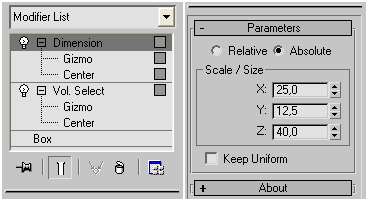
ººDimension 1.2º. 2011.12.30
An update of my scripted Dimension modifier.
More details you can read at it script page.
ººDimension 1.1º. 2011.12.30
A minor update of my scripted Dimension modifier.
There is one more reasonable request about this modifier, but more updates coming next year ;-)
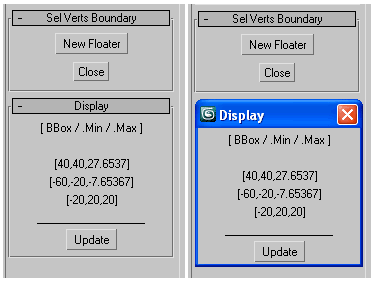
ººSelected Verts Boundaryº. 2011.12.22
A mini utility
show the boundingbox of selected vertices, as well their Min/Max boundary in world space coordinates.
ººBatch Loader v.1.9º. 2011.11.16
Well, one more update of Batch Loader.
An issue with "Import Name Conflict" dialogue fixed.
Thanks to Richard Missin, who send me testing files that reproduce the issue.
ººBatch Loader v.1.8º. 2011.11.13
Another update of Batch Loader
that fill 2 user requests. Suppress additional popup dialogue in import process, plus
now "Browse for folder" dialogue start in recently used path.
ººBatch Loader v.1.7º. 2011.10.30
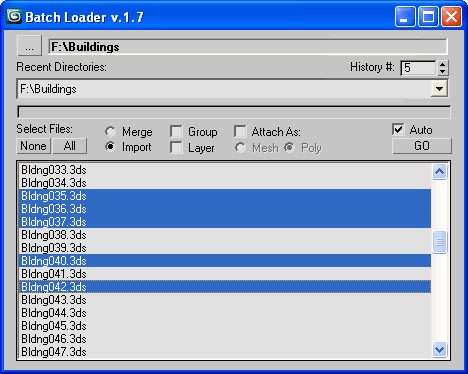
I fill another request adding new option to the
Batch Loader tool.
Now you can attach impoted/merged objects per file as one mesh or poly.
ººSelect Faces By Normal v.1.3º. 2011.10.29
SFBN is one of my recent personal scripts.
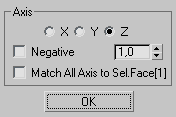
Select faces by normal in the given XYZ positive/negative axis.
Work with base poly/mesh, edit poly/mesh modifiers, mesh select modifier.
NOTE:The current macros is not a replacement of the Graphite Tools (new in Max 2010) "Select By Normal" utility.
This script have more flexible functionality (and fills my needs). Also if relevant, you can use that script in older Max versions.
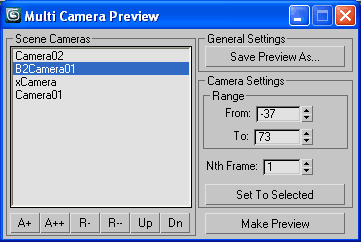
ººViewPort Preview v.1.4º. 2011.10.22
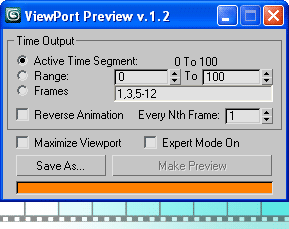
An update. More flexible custom-built sequence for negative ranges.
What's new and more details at ScriptSpot.
Note: This page was too large and slow loading and I decide to clean it up and start over.
Now it holds just the last dozen news, so if you wish to not miss something then check this page at least once monthly.